完整 PDF 编辑引擎与开发者 SDKComplete PDF editor engine and SDK

ElasticPDF

一站式 PDF 编辑与阅读平台

One platform for PDF editing and reading

直接编辑 PDF 文字、图片、批注与图形,保留原始文件结构和视觉效果;无需先转换成 Word,也无需同时接入多个零散工具。

Edit PDF text, images, annotations and shapes directly while preserving the original document structure and visual fidelity—without converting to Word or combining multiple tools.

文字编辑Text
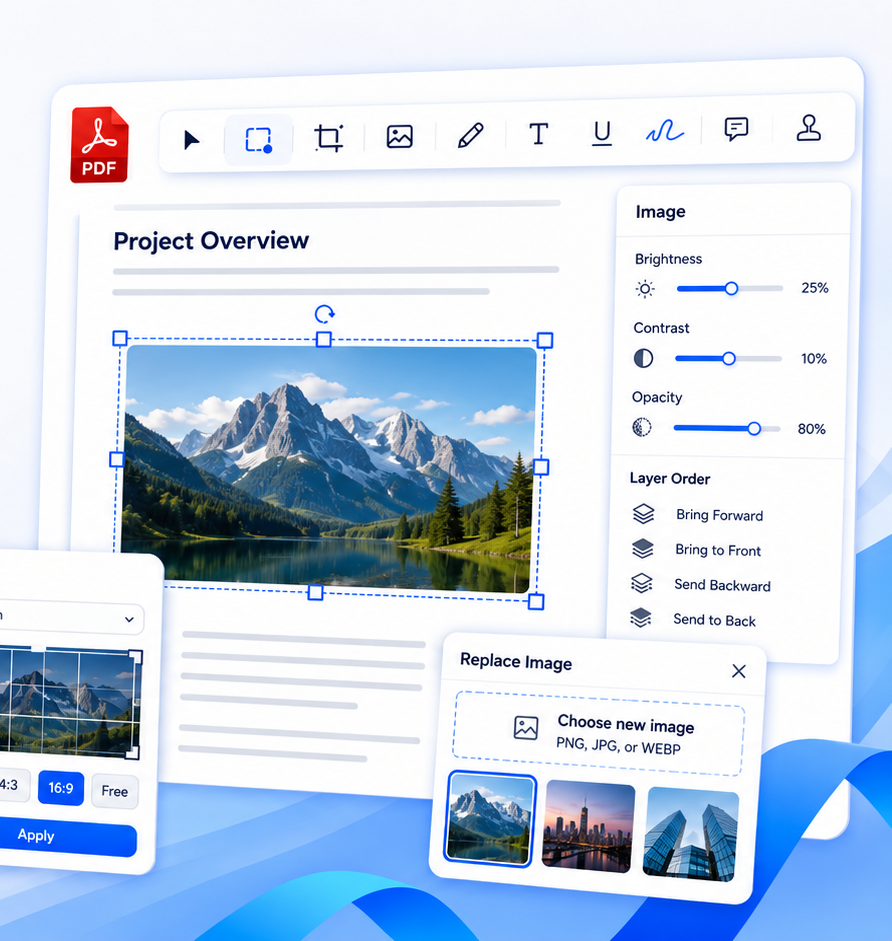
图片编辑Images
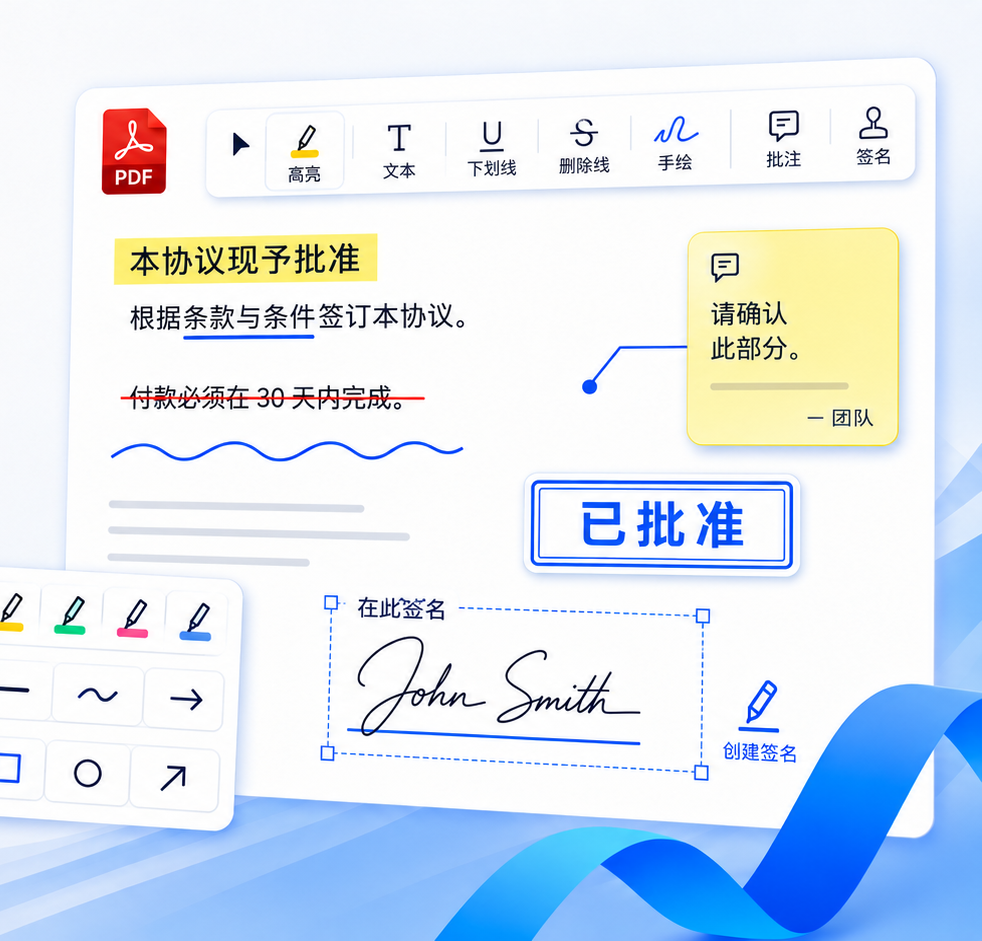
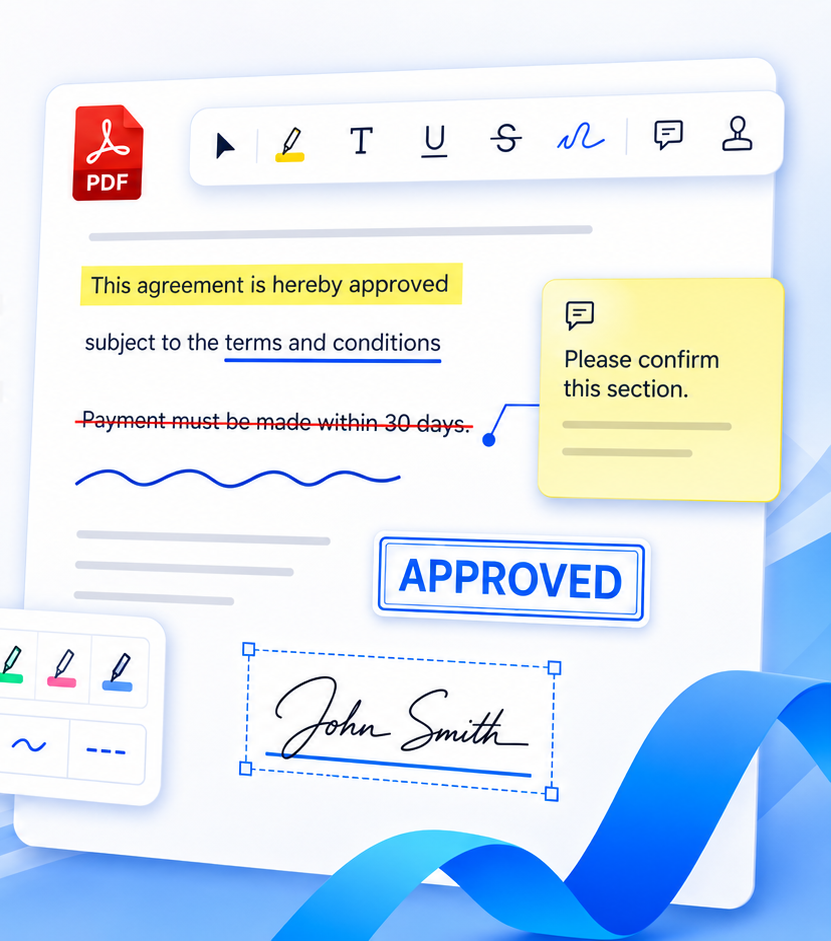
PDF 批注Annotations
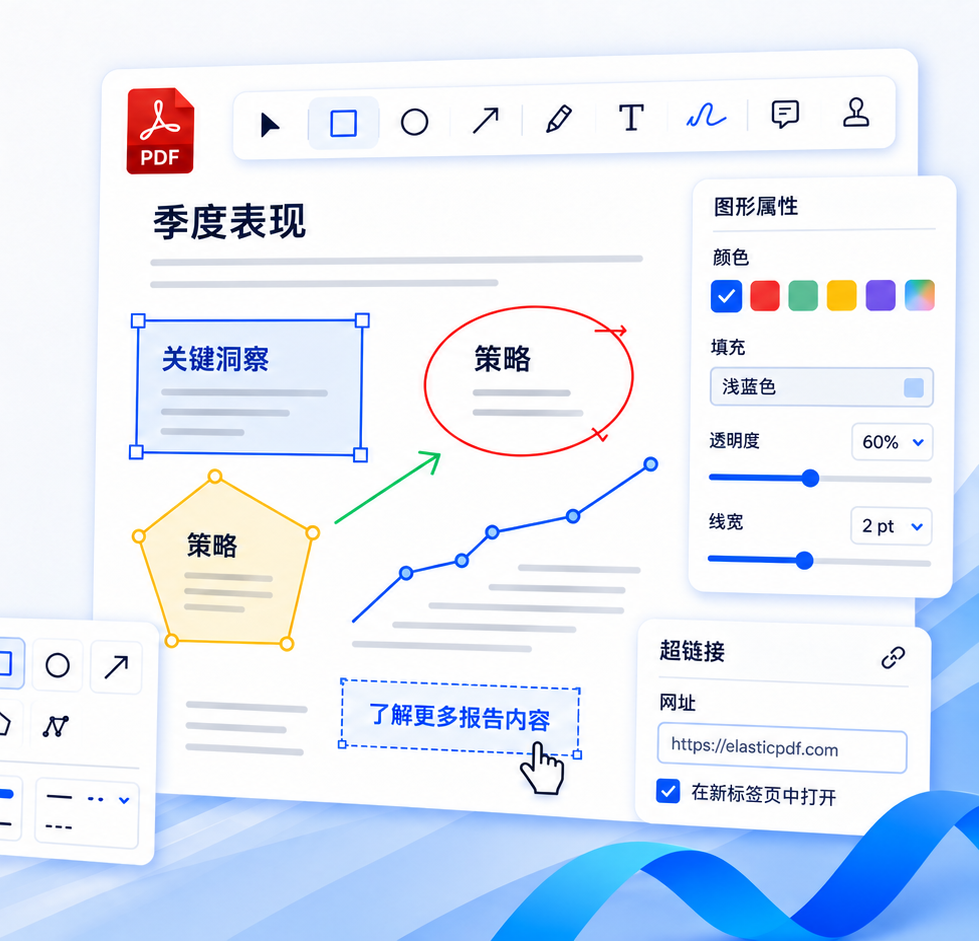
图形批注Shapes
智能阅读器Reader
纯前端技术,数据安全Pure frontend and secure 全平台适配Cross-platform 快速集成,开箱即用Fast integration
ELASTICPDF EDITOR
ElasticPDF 中文编辑器功能界面 ElasticPDF editor workspace
文字属性Text properties
批注工具Annotation tools
全平台支持All platformsWeb / Windows / macOS / iOS / Android
纯前端架构Frontend architecture更安全、更快速,无需依赖后端解析服务Safer and faster without server-side parsing
企业级 SDKEnterprise SDK稳定可靠、易于集成,提供丰富 APIReliable, integration-ready and API-rich
私有化部署Private deployment支持内网、离线和私有云场景Intranet, offline and private-cloud ready

完整演示视频

See every capability

通过查看我们精心录制的演示视频,快速了解编辑文字、图片、批注、图形和操作阅读器的完整流程。

Watch the complete ElasticPDF demo video to see PDF text editing, image editing, annotations and shape editing, and the smart PDF reader works.

查看视频 → watch video →
核心能力Core capabilities

一套产品,覆盖完整 PDF 工作流

One product for the complete PDF workflow

根据最新中英文产品演示重新梳理功能模块,用更清晰、更专业的方式呈现 ElasticPDF 的完整编辑能力。

Reorganized from the latest product demos to present ElasticPDF's editing workflow in a clearer, more professional way.

01

编辑PDF 文字

EditPDF text

重排 · 字体 · 格式
Reflow · Fonts · Formatting

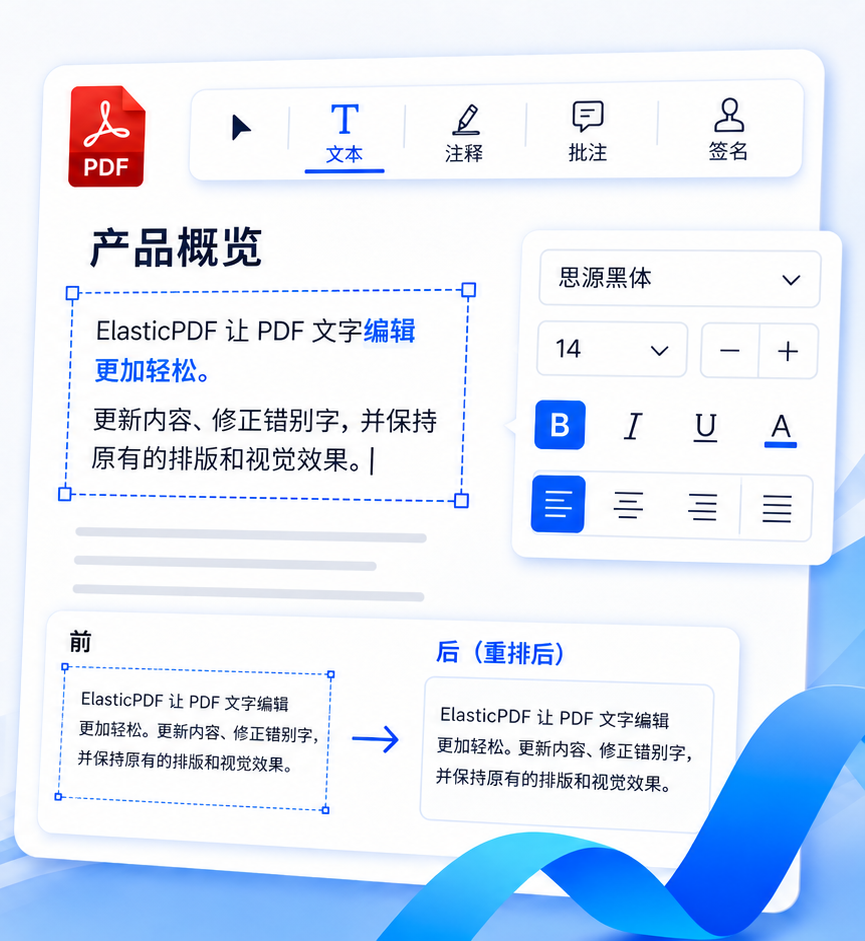
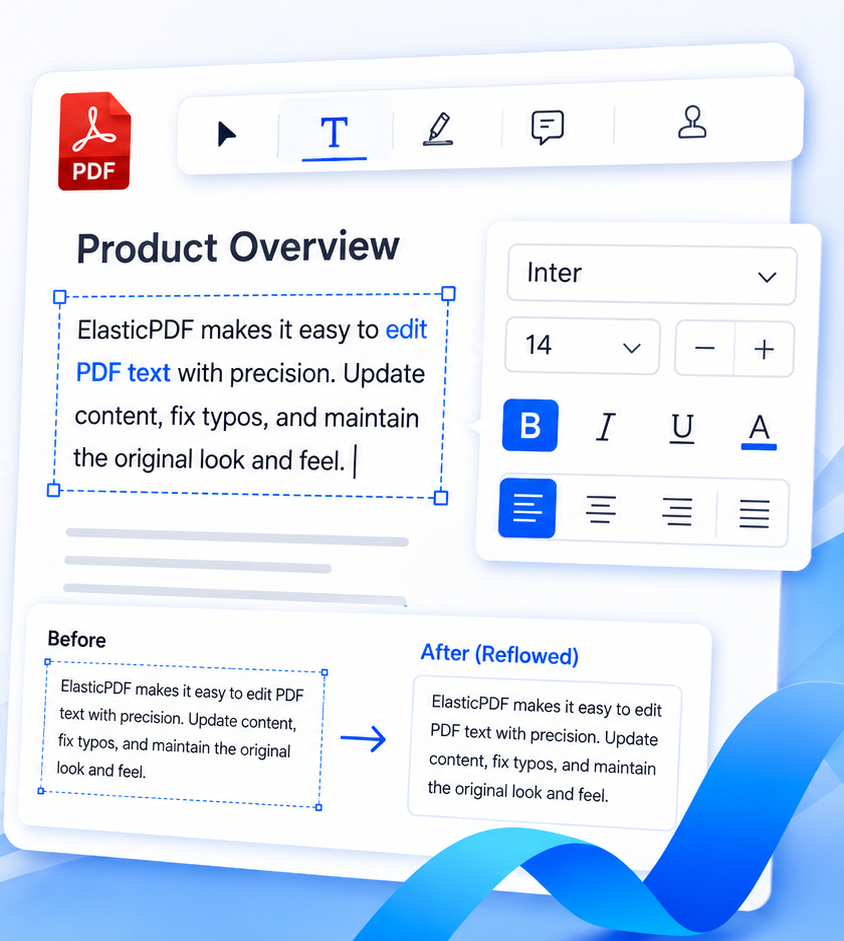
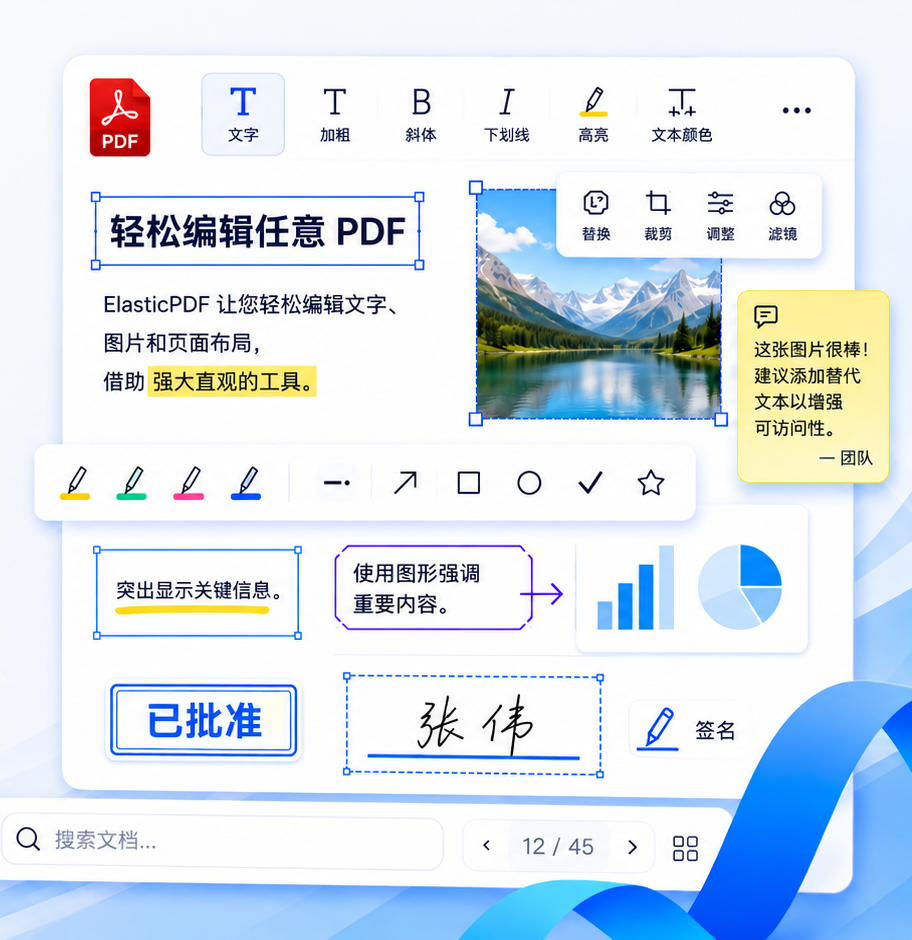
直接修改 PDF 原文字,支持更新内容、修正错别字、调整字体和格式;改变文本框宽度后可自动重排段落,并尽量保持原始版式。

Modify original PDF text directly, fix content, adjust fonts and formatting, and automatically reflow paragraphs when the text box changes.

自动重排Auto reflow任意角度文字Rotated text保留原版式Preserve layout
编辑 PDF 文字 Edit PDF text
精准编辑文字Precise text editing
编辑 PDF 图片 Edit PDF images
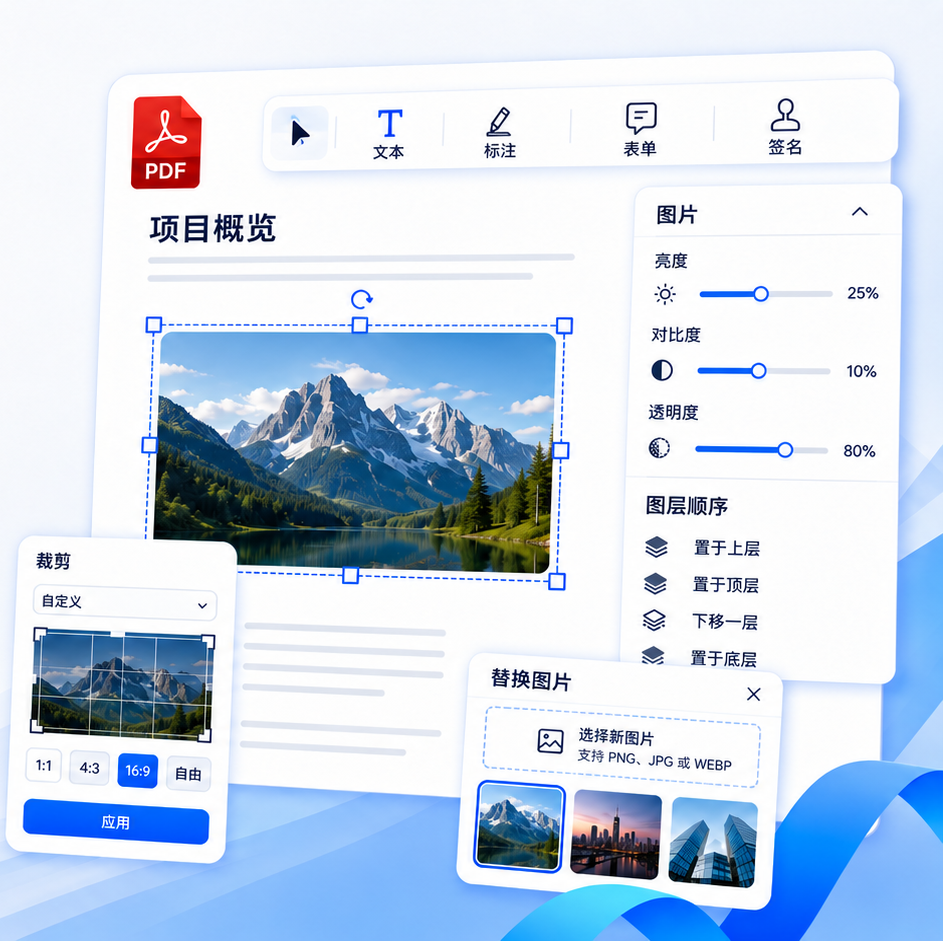
快速处理图片Fast image tools
02

编辑PDF 图片

EditPDF images

裁剪 · 替换 · 调整尺寸
Crop · Replace · Resize

选择 PDF 中原有图片后即可替换、裁剪、旋转、缩放和调整透明度;支持常见图片格式,并可控制图层顺序。

Select an existing image to replace, crop, rotate, resize or adjust transparency, with common image formats and layer ordering support.

自由裁剪Flexible crop快速替换Quick replace图层顺序Layer order
03

PDF批注协作

PDFannotations

高亮 · 图章 · 签名
Highlight · Stamp · Signature

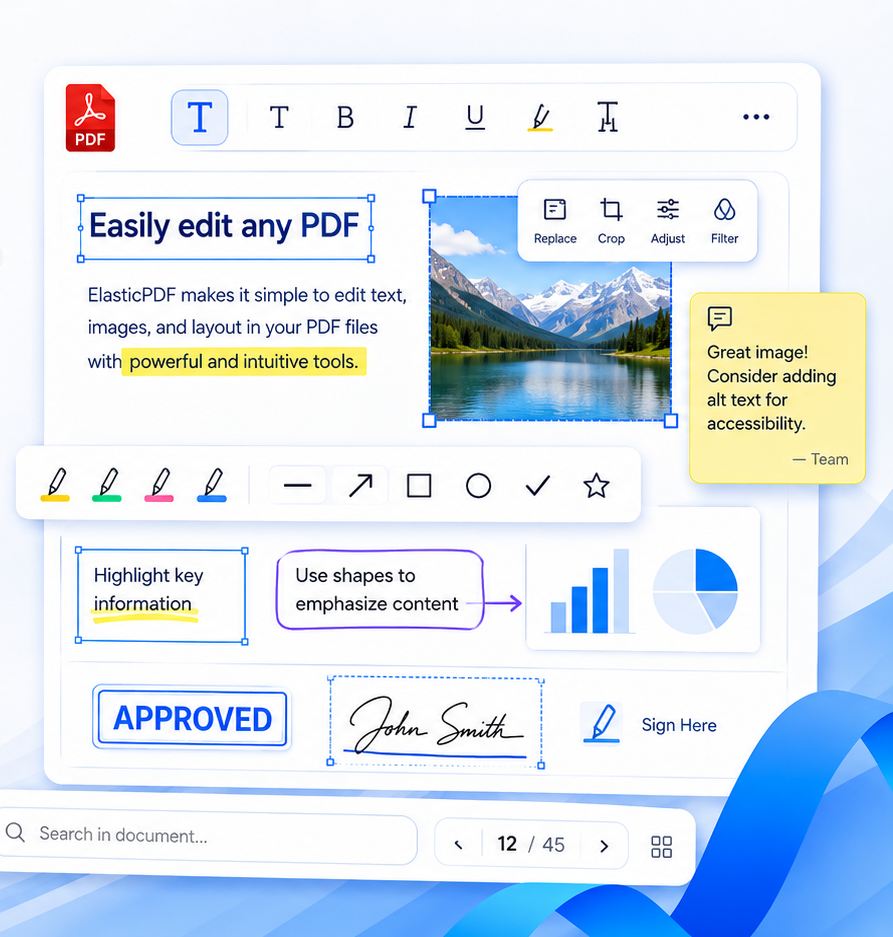
提供高亮、下划线、删除线、手绘、便签、图章和签名等完整审阅工具,适用于合同审批、团队协作和文档留痕。

Highlight, underline, strike out, draw, add notes, stamps and signatures for contracts, review workflows and collaboration.

批注写回Write back电子签名E-signature审阅协作Review workflow
PDF 批注 PDF annotations
强大的审阅工具Powerful review tools
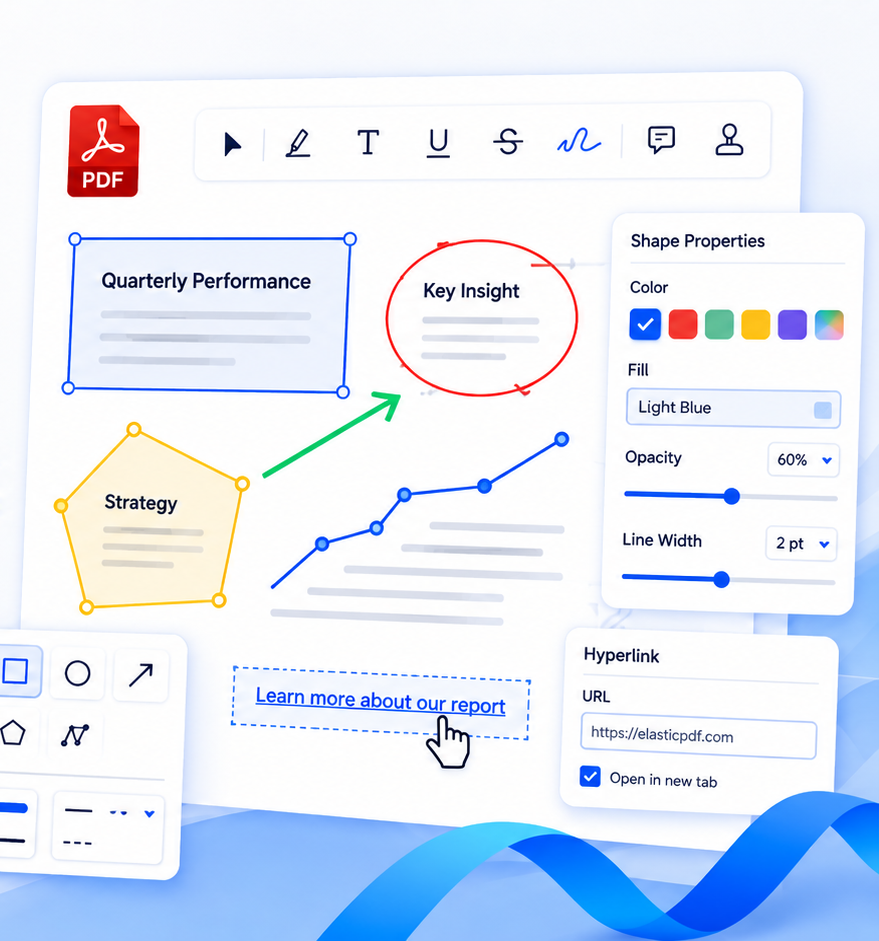
图形批注 Shape annotations
精准添加图形Precise shape tools
04

图形批注与编辑

Shapeediting

矩形 · 箭头 · 超链接
Rectangle · Arrow · Link

添加矩形、圆形、箭头、多边形和路径,设置描边、填充、透明度和线宽;同时支持添加和编辑超链接。

Create rectangles, circles, arrows, polygons and paths, control stroke, fill, opacity and width, and edit hyperlinks.

多种图形Multiple shapes样式属性Style controls链接编辑Link editing
05

智能PDF 阅读器

SmartPDF reader

缩略图 · 书签 · 阅读模式
Thumbnails · Bookmarks · Reading modes

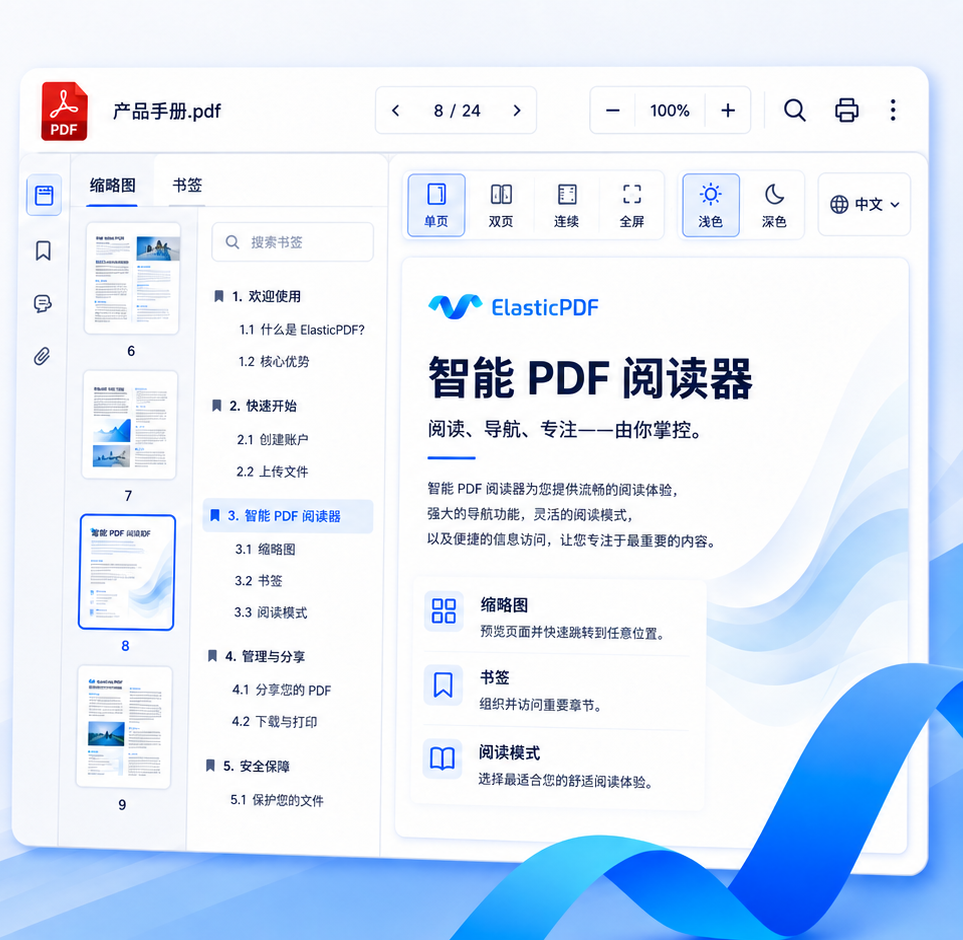
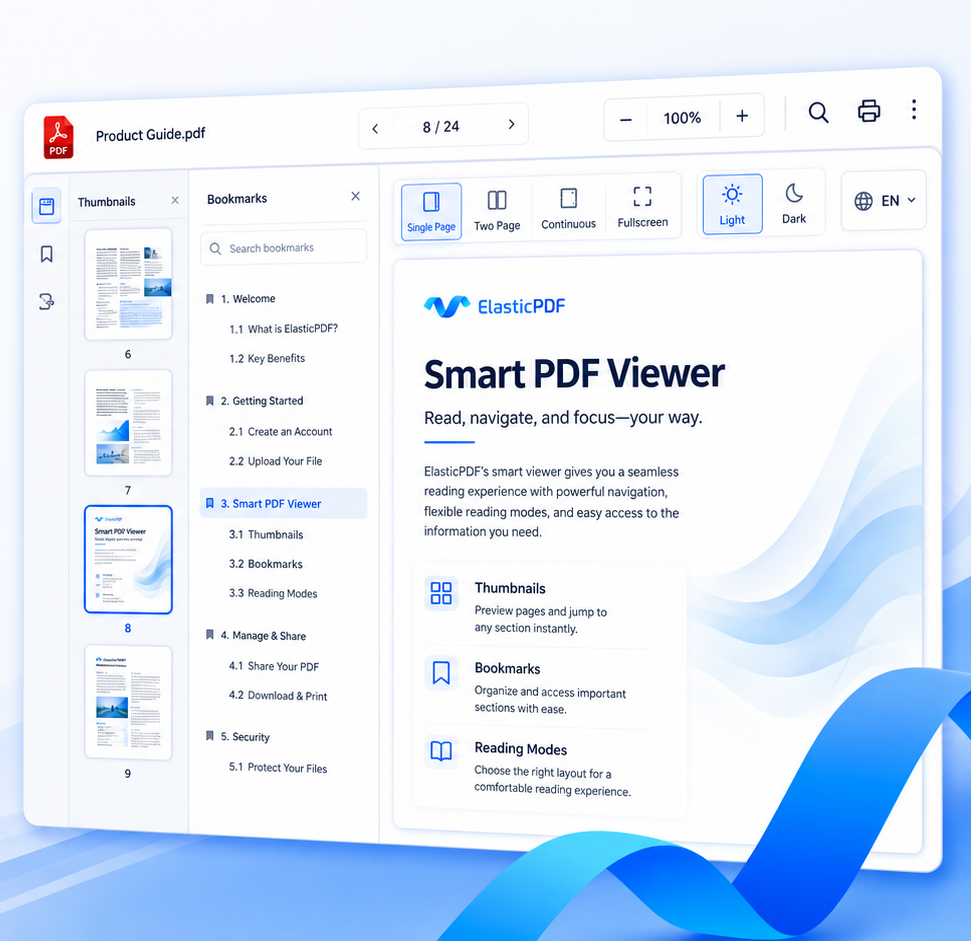
提供缩略图、书签、搜索、单页/双页/连续阅读、全屏、深浅色模式和多语言界面,让阅读与编辑在同一套产品中完成。

Thumbnails, bookmarks, search, single or dual-page views, continuous mode, fullscreen, themes and multilingual UI in one reader.

多种阅读模式Reading modes全文搜索Full-text search多语言界面Multilingual UI
智能 PDF 阅读器 Smart PDF reader
轻松阅读与导航Easy reading and navigation
面向企业与开发者Built for teams and developers

不仅是编辑器
也是可集成的 PDF 基础能力

More than an editor
a PDF infrastructure layer

将专业 PDF 编辑能力快速嵌入现有 Web、桌面端或移动端产品,不必从零开发复杂文档引擎。

Embed professional PDF editing into web, desktop or mobile products without building a complex document engine from scratch.

全平台支持

Cross-platform

Web / Windows / macOS / iOS / Android

纯前端架构

Frontend architecture

文件无需上传服务器,性能与数据安全更可控。

Keep files client-side for controllable performance and privacy.

企业级 SDK

Enterprise SDK

稳定 API、模块化能力与深度定制支持。

Stable APIs, modular capabilities and deep customization.

私有化部署

Private deployment

适配内网、离线环境和企业合规要求。

Designed for intranet, offline and compliance-sensitive use.

img
独特的产品亮点Unique Product Highlights

为什么要选择ElastiPDF?

Why Choose ElastiPDF?

img
与CTO直谈Chat with CTO

欢迎联系我们

Welcome to contact us

Avatar

韦朝旭(韦工)

Chaoxu Wei

PDF编辑器引擎架构师 · 首席技术官CTO · 商业负责人
PDF Editor Engine Architect · Head of Business
毕业院校
Alma Mater
学历
Education
同济大学本科 · 硕士
Bachelor's & Master's Degree, Tongji University
公司
Company
湖北旭联科技有限公司
Hubei Xulian Technology Co., Ltd.
职位
Position
首席技术官 (CTO)
Chief Technology Officer (CTO)
技术方向
Technical Focus
PDF 内核 · 文档编辑引擎 · Web / Native 渲染 · 文档排版系统
PDF Core Engine · Document Editing Engine · Web / Native Rendering · Document Layout Systems
工作经验
Experience
10+ 年软件研发经验
10+ years of software development experience
支持范围
Service Scope
企业级 SDK · 私有化部署 · 架构咨询 · 技术对接 · 商务对接
Enterprise SDK · Private Deployment · Architecture Consulting · Technical Integration · Business Collaboration
联系电话
Phone
18385537403 (微信同号)
+86 18385537403 (WeChat available)
邮箱
Email
elasticpdf@gmail.com
WhatsAPP
WhatsApp
+86 18385537403
+86 18385537403
工作时间
Working Hours

周一 - 周五: 09:00 - 17:00 (北京时间 UTC+8)

Monday – Friday: 09:00 – 17:00 (Beijing Time, UTC+8)

周一 - 周五: 09:00 - 17:00 (欧洲时间 UTC+1/UTC+2)

Monday – Friday: 09:00 – 17:00 (European Time, UTC+1 / UTC+2)
准备把专业 PDF 编辑能力加入你的产品了吗?

Ready to bring professional PDF editing into your product?

立即体验在线演示,或与 CTO 沟通授权、架构和部署方案

Try the live demo or contact the CTO to discuss licensing, architecture, and deployment.